Ch 9 · Landing pages and websites
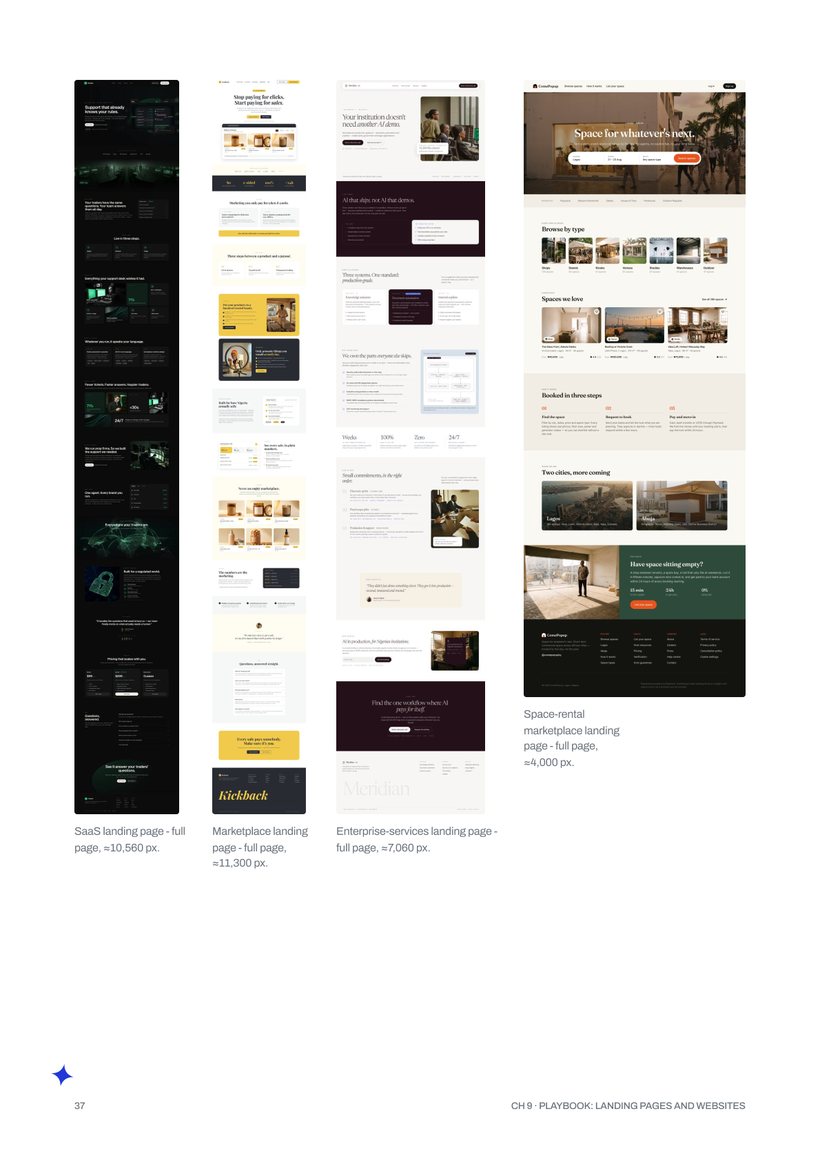
4 landing pages, 4 briefs
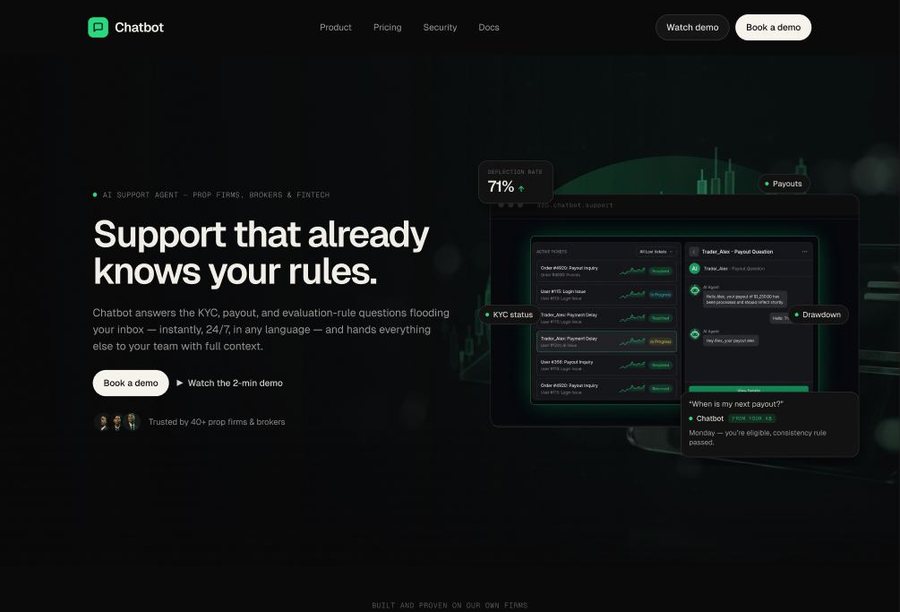
From a 19-section dark SaaS landing to an enterprise-services site, each from its own brief and design-system style.
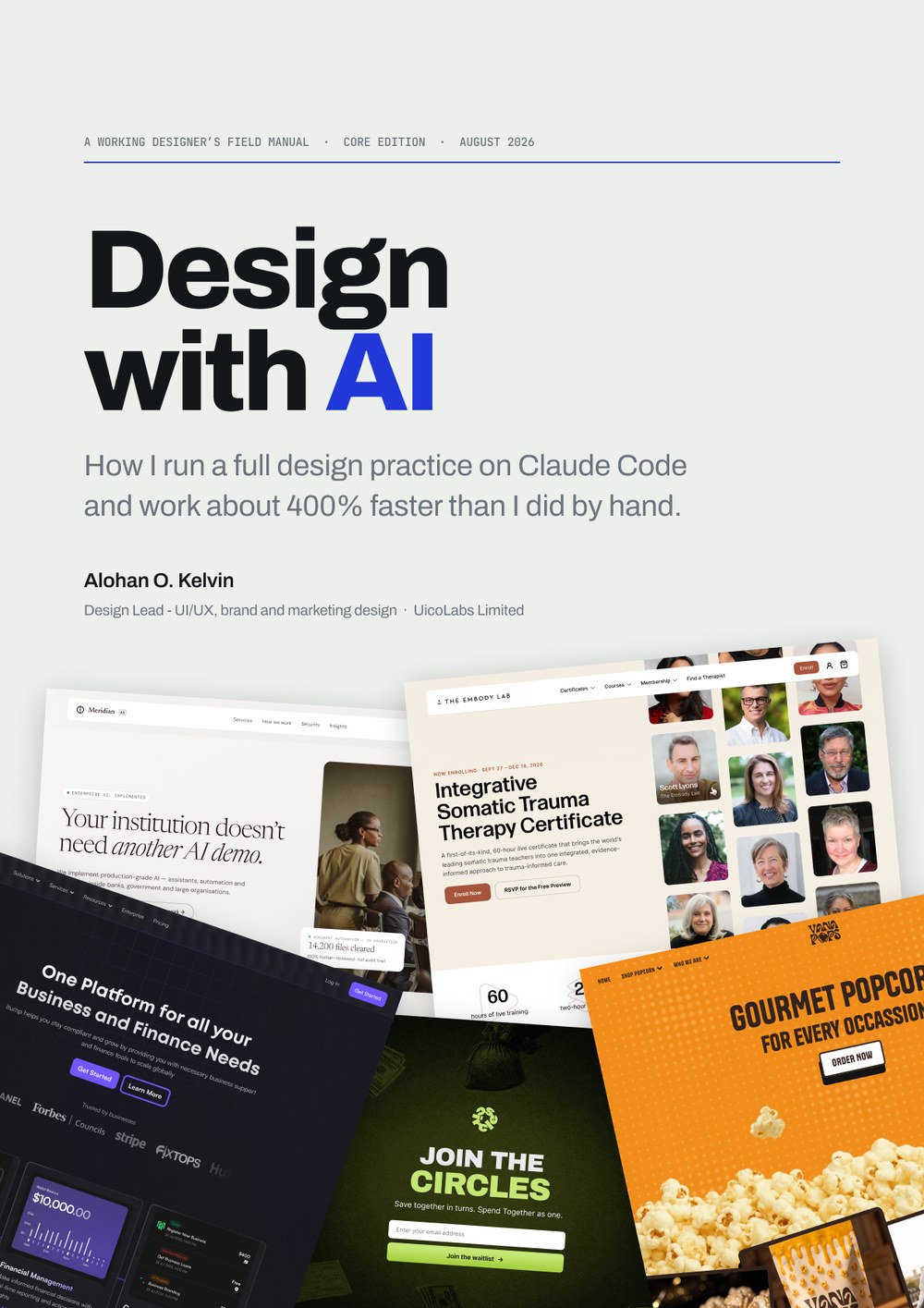
How I run a full design practice on Claude Code and work about 400% faster than I did by hand.
 By Alohan O. Kelvin, Design Lead at UicoLabs Limited
Neither number means “I type a prompt and a finished campaign falls out.” Both come from one loop, and the book shows it running on real client work.
Options for layout, palette, imagery and copy, pulled from your references, your brand files and your design system.
Taste, brand rulings and the final call stay with you. This is the part of the job that is yours.
Your frame becomes the template for every size, page, email and variant that follows.
Each round starts from better work. That is how a week or two of production becomes a day.
Three parts: the system you set up once, seven playbooks for the work clients actually pay for, and the discipline that keeps the output shippable.
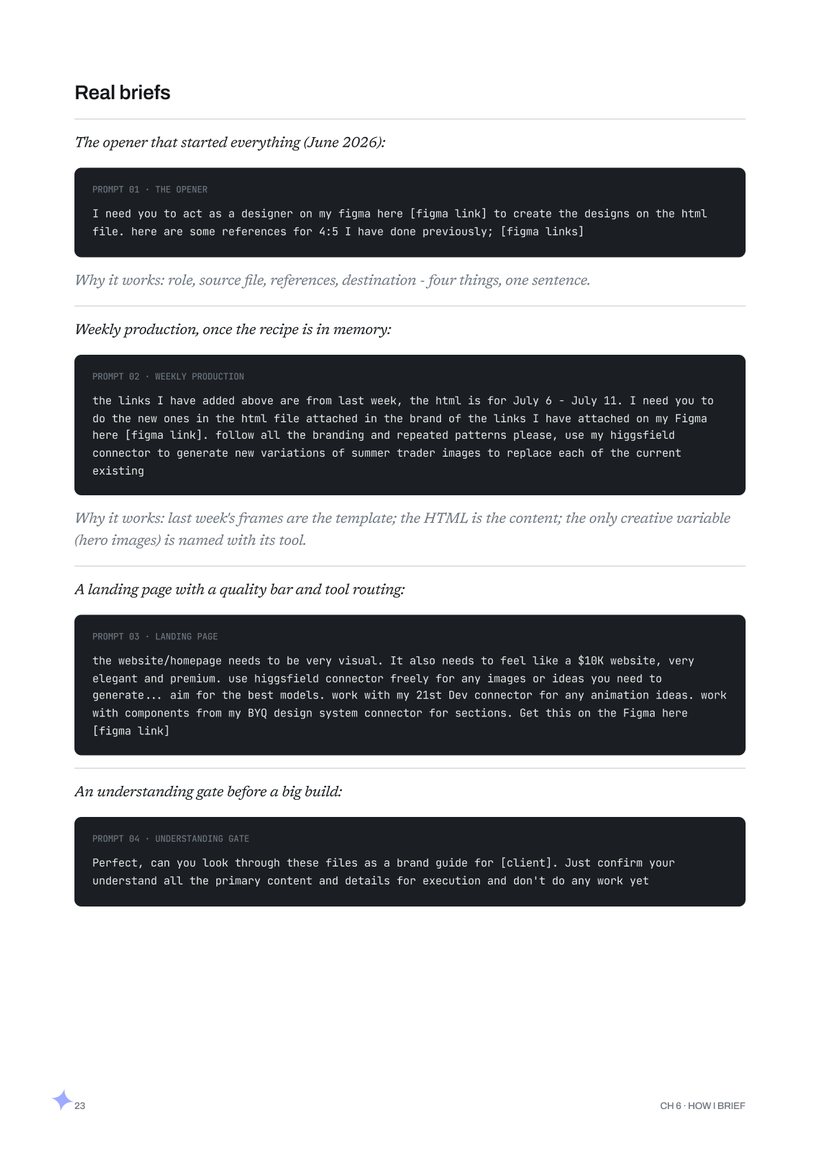
Nine real briefs, a QA checklist, a memory-note template and the full setup, step by step.
Tables you can copy, briefs word for word, and the full-page builds behind the numbers. Designed in Figma with the same loop the book teaches.
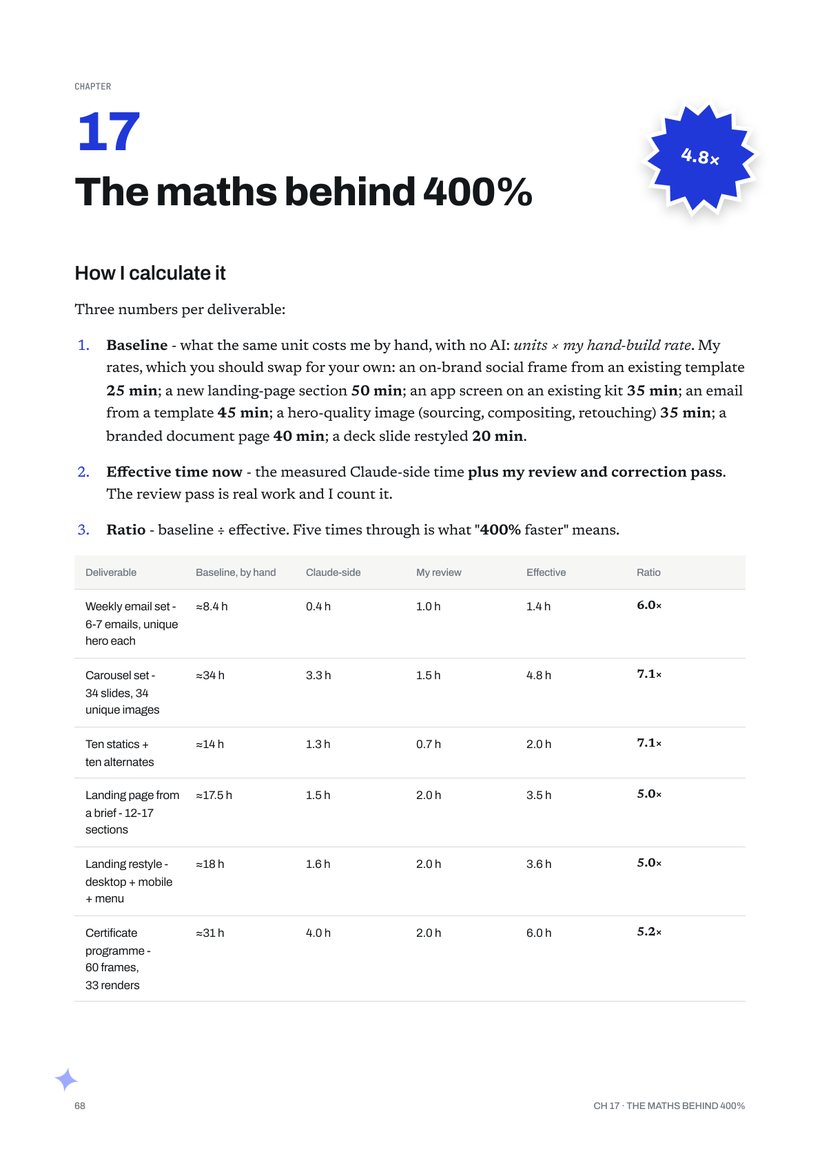
Measured from session logs, not estimated. Client names are anonymised in the book; the work is real.
From a 19-section dark SaaS landing to an enterprise-services site, each from its own brief and design-system style.
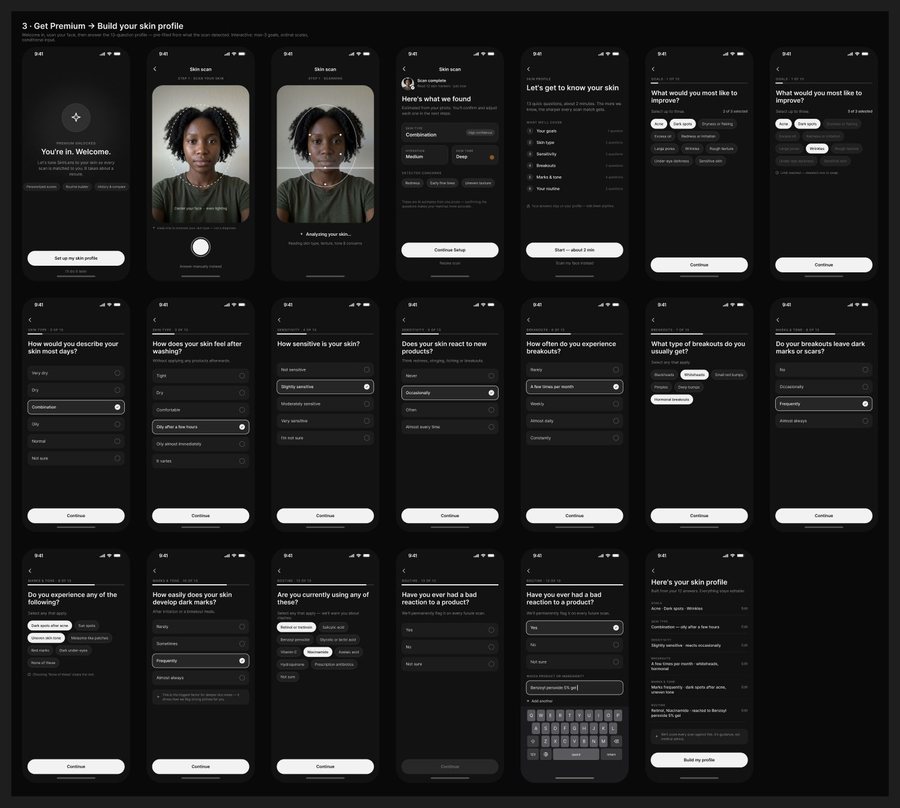
A safety-scanner app: paywall, capture, questionnaire and profile, then a full rebrand of the same product.
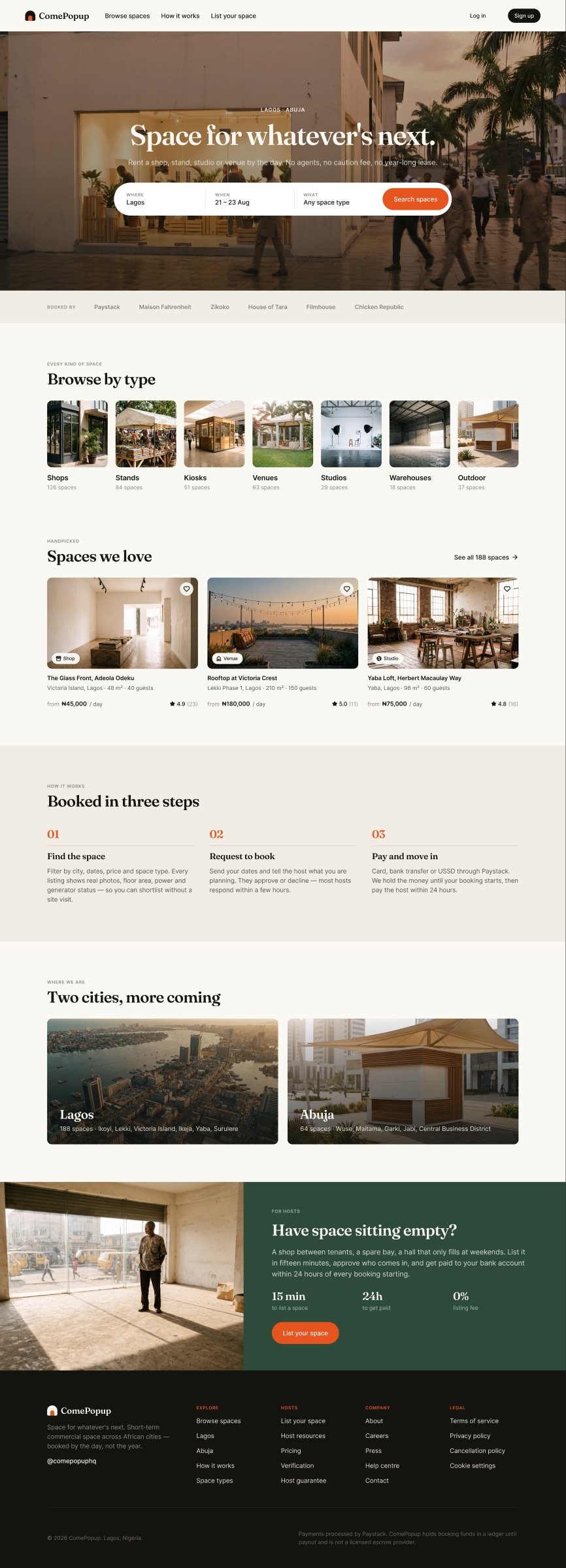
A two-sided marketplace from one PRD: guest and host mobile flows, a desktop pass and a 122-component library.
A full social batch, from brief to review-ready frames, in a single session.
Five weekly sets for one prop firm in July, all built on one reusable template.
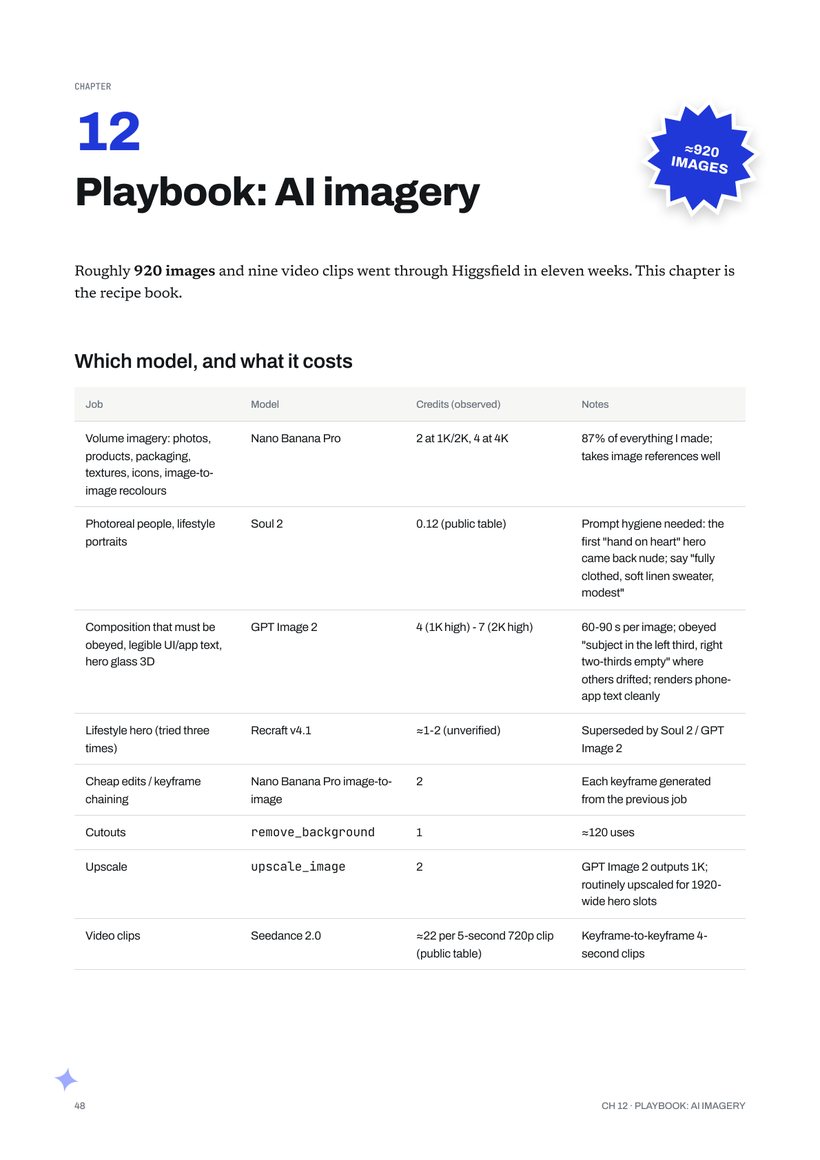
Plus nine video clips, generated through Higgsfield and placed straight onto the canvas.
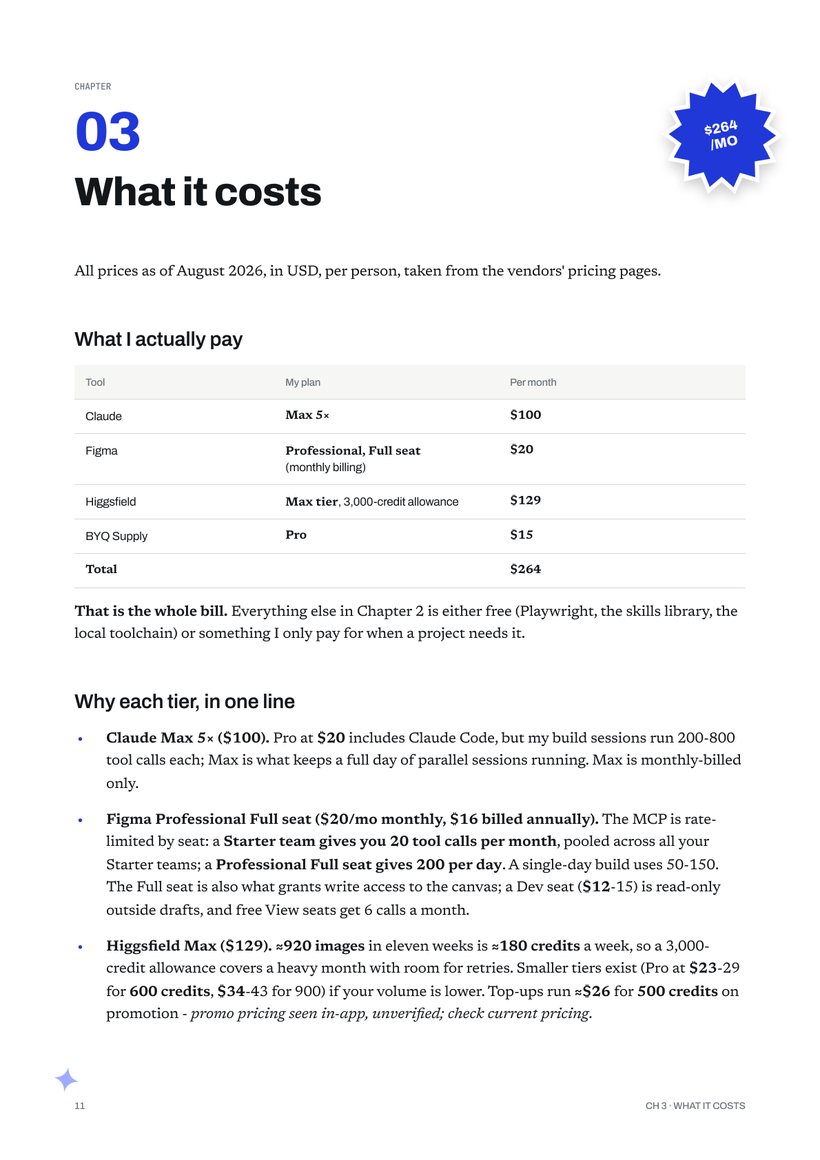
Four tools do the work. Everything else is free, or paid for only when a project needs it. Prices as of August 2026.
The backbone. Every session runs here: it reads the canvas, writes to Figma and drives the other tools.
The canvas and the review board. Every build lands here for you to judge and refine.
Every generated image and video clip, through one connector inside the same session.
The structural vocabulary: 2,400+ section components, wireframes and named styles.
I have spent more than eight years designing products, brands and marketing for agencies and startups around the world, from a global fintech platform to a social productivity app on iOS and web. This book is the system I built to run that work on Claude Code: hundreds of hours of practice and over 50,000 words of recipes, cut down to what you can use.
“Alohan brought a strong user-focused approach, his work was timely, thoughtful, and always added real value to us.”
Harry Haruna, Co-Founder, Binary Base
No. Every setup step in Chapter 4 is a request you type in plain English, and Claude Code runs the commands for you.
My stack is $264 a month, as of August 2026. Chapter 3 breaks down every tier, including a cheaper way to start.
The setup chapters are specific to Claude Code, Figma, Higgsfield and BYQ Supply. The loop, the briefs and the QA habits carry over to whatever tools you use.
Yes. Every playbook is built on real projects, with client names anonymised.
A 70-page A4 PDF, designed in Figma, with selectable and searchable text. There is also a lighter copy for reading on your phone.
The 70-page field manual for designers who want a week of work to take a day.
Free for a limited time · PDF · 70 pages · A4